Notices
ECUs and Tuning Discuss Engine Management, Tuning, & Programming

Can anyone help me make a graph?

Old Jan 12, 2013 | 03:35 PM
  #21  
triple88a's Avatar
Elite Member
iTrader: (2)
 
Joined: Apr 2006
Posts: 10,522
Total Cats: 1,830
From: Chicago, IL
Default

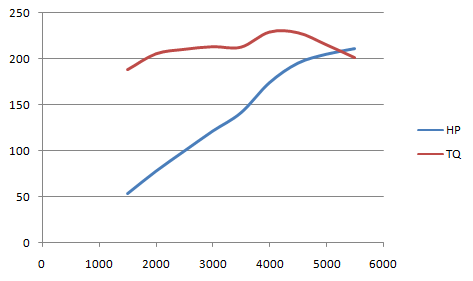
Attached Thumbnails Can anyone help me make a graph?-dyno_zps48eba240.gif  
Old Jan 12, 2013 | 04:21 PM
  #22  
lazzer408's Avatar
Thread Starter
Senior Member
iTrader: (1)
 
Joined: Aug 2006
Posts: 1,011
Total Cats: 7
From: Illinois
Default

Originally Posted by Joe Perez
You're new to the internet, aren't you?
Yup. Just started in 1996

Just because things are the way they are doesn't make them right.
Old Jan 12, 2013 | 06:37 PM
  #23  
DaveC's Avatar
Junior Member
 
Joined: Sep 2011
Posts: 433
Total Cats: 17
From: finger lakes NY
Default

Originally Posted by lazzer408
DaveC - Of course I did. I downloaded 3 or 4 "free" programs designed to graph values but they ended up being graphing calculators. I didn't know Excel could do it. Not that I have $400 to drop on MS office anyway.
It wasn't your question opening this thread that caught my attention, it was this one:

How do you make the graph after the values are entered?
libreoffice is free. It's a slightly sucky emulation of Microsoft Office. But it works and it will do everything that you probably want Excel to do. And it's free.

I enjoy helping others when I can. It saddens me knowing so many people would rather see others struggle then offer assistance.
Me too! It also saddens me knowing that there are so many people that would rather ask for a fish than learn how to fish for themselves.

But I don't think either of us are being fairly characterised here.
Old Jan 13, 2013 | 11:47 AM
  #24  
triple88a's Avatar
Elite Member
iTrader: (2)
 
Joined: Apr 2006
Posts: 10,522
Total Cats: 1,830
From: Chicago, IL
Default

I heard Eveonline is also similar to excel.
Old Jan 14, 2013 | 12:01 PM
  #25  
lazzer408's Avatar
Thread Starter
Senior Member
iTrader: (1)
 
Joined: Aug 2006
Posts: 1,011
Total Cats: 7
From: Illinois
Default

I figured out how to bring up a graph but I can't see where to change the name from "Series1" and "Series2 to "Horsepower" and "Torque".

nvm. I just enter the name as a value at the top of the column.

[scarcasm]That makes complete sense because the name of a column is a value. [/scarcasm]
Old Jan 14, 2013 | 12:03 PM
  #26  
Braineack's Avatar
Boost Czar
iTrader: (62)
 
Joined: May 2005
Posts: 80,552
Total Cats: 4,368
From: Chantilly, VA
Default

did you not put that in the header rows?
Old Jan 14, 2013 | 01:16 PM
  #27  
lazzer408's Avatar
Thread Starter
Senior Member
iTrader: (1)
 
Joined: Aug 2006
Posts: 1,011
Total Cats: 7
From: Illinois
Default

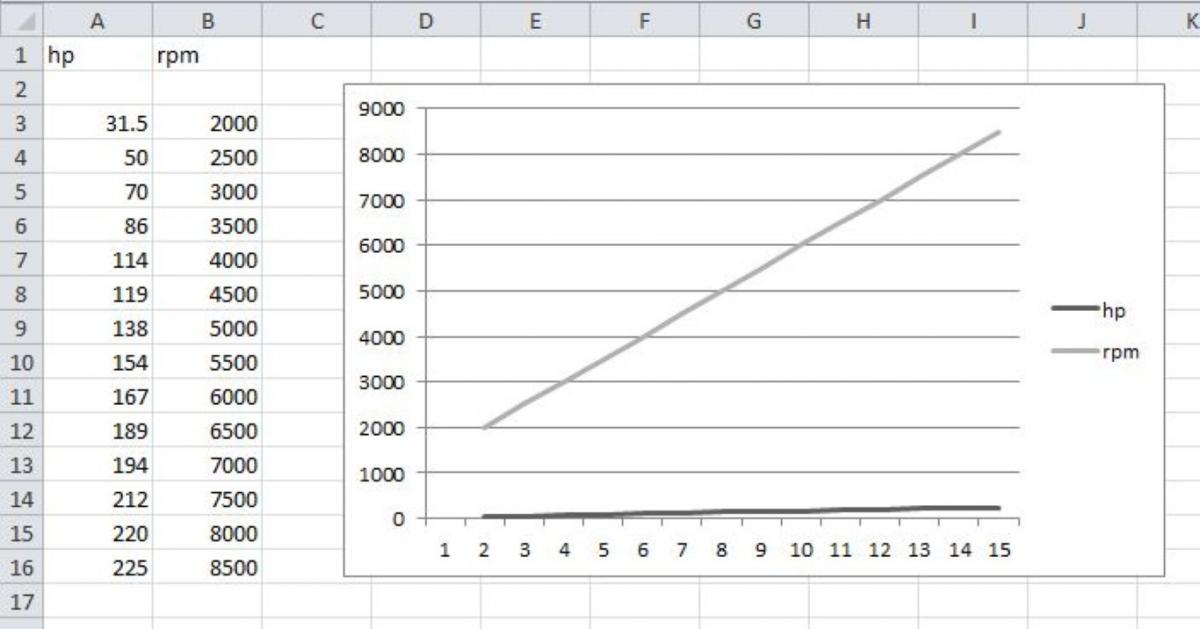
Brain, how do you choose which values are used for X and Y?

This is what I'm getting.

Attached Thumbnails Can anyone help me make a graph?-excelcapture-medium-.jpg  
Old Jan 14, 2013 | 01:19 PM
  #28  
Braineack's Avatar
Boost Czar
iTrader: (62)
 
Joined: May 2005
Posts: 80,552
Total Cats: 4,368
From: Chantilly, VA
Default

why aren't you following my writuep?

i told you specifically what to do with step by step instructions with pictures.


...you're going to make me admin rage.
Old Jan 14, 2013 | 01:43 PM
  #29  
sixshooter's Avatar
Moderator
iTrader: (12)
 
Joined: Nov 2008
Posts: 22,205
Total Cats: 3,561
From: Tampa, Florida
Default

I think Brain just turned on the choke lever and is yanking the pull start cord on the ban hammer (the ban hammer works a lot like a chainsaw, for those of you who have never been forum mods).
Old Jan 14, 2013 | 01:49 PM
  #30  
sixshooter's Avatar
Moderator
iTrader: (12)
 
Joined: Nov 2008
Posts: 22,205
Total Cats: 3,561
From: Tampa, Florida
Default

Originally Posted by lazzer408
"Just because things are the way they are doesn't make them right." -(translated from Polish) Unknown Jewish man, Poland, 1939
Fixed that quote for you.
Old Jan 14, 2013 | 01:50 PM
  #31  
lazzer408's Avatar
Thread Starter
Senior Member
iTrader: (1)
 
Joined: Aug 2006
Posts: 1,011
Total Cats: 7
From: Illinois
Default

Originally Posted by Braineack
why aren't you following my writuep?

i told you specifically what to do with step by step instructions with pictures.


...you're going to make me admin rage.
I saw that and it works fine but the vertical is showing the same values as horizontal. Does it depend on which columns you select first?

I'm trying to plot another graph that might be a little different then your walkthrough for the HP/Tq graph.

The two values I'm working with are HP and RPM. I need HP as the vertical and RPM as the horizontal with a single plot line.

EDIT - It looks like simply removing RPM from the Legend Entry fixed it.
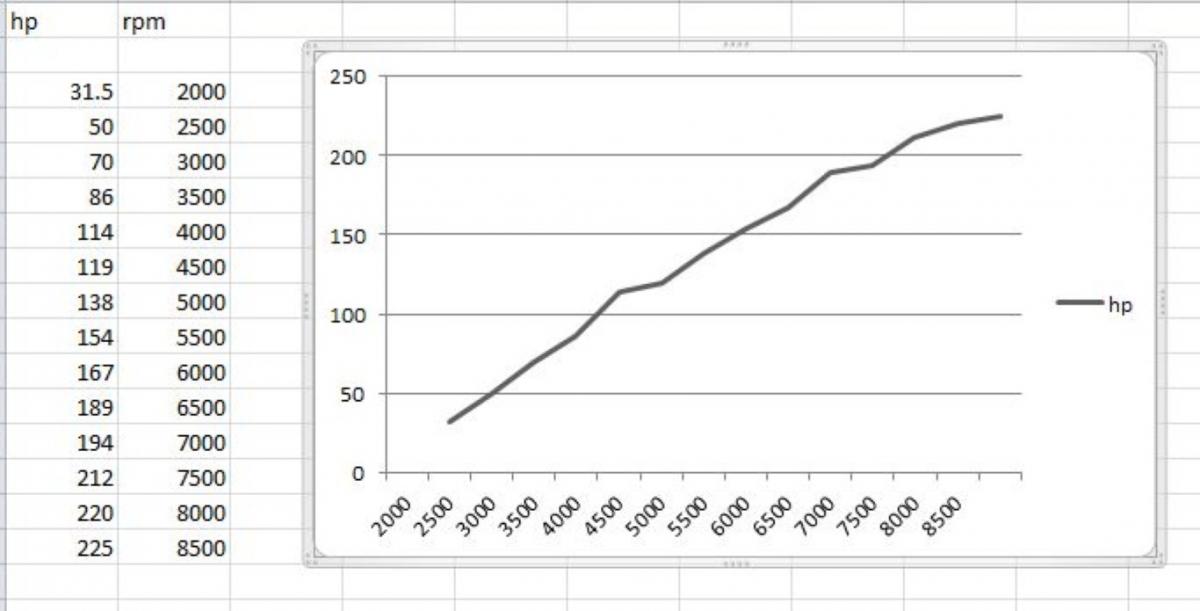
Attached Thumbnails Can anyone help me make a graph?-excelcapture2-medium-.jpg  
Related Topics
Thread
Thread Starter
Forum
Replies
Last Post
bigmackloud
Miata parts for sale/trade
19
Jan 8, 2021 11:24 AM
StratoBlue1109
Miata parts for sale/trade
21
Sep 30, 2018 01:09 PM
JxPhan
Meet and Greet
3
Oct 2, 2015 02:17 AM
Trent
WTB
2
Oct 1, 2015 12:15 PM


Thread Tools
Search this Thread

All times are GMT -4. The time now is 11:52 AM.