


New clutch pics


Thread Starter
Junior Member
Joined: Nov 2012
Posts: 58
Total Cats: 0
From: SF Bay Area
 New clutch pics
I'm really excited about my new clutch/flywheel that I got (not as much as Woody), but I haven't really had time to put it in yet. So I took some pics to pass the time. Enjoy!
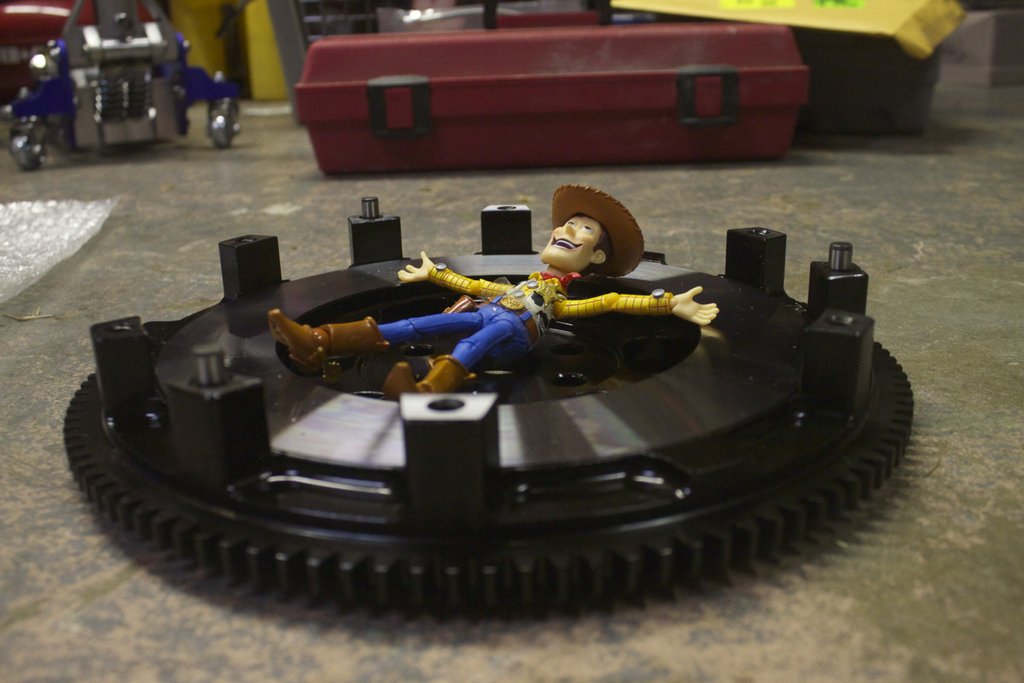
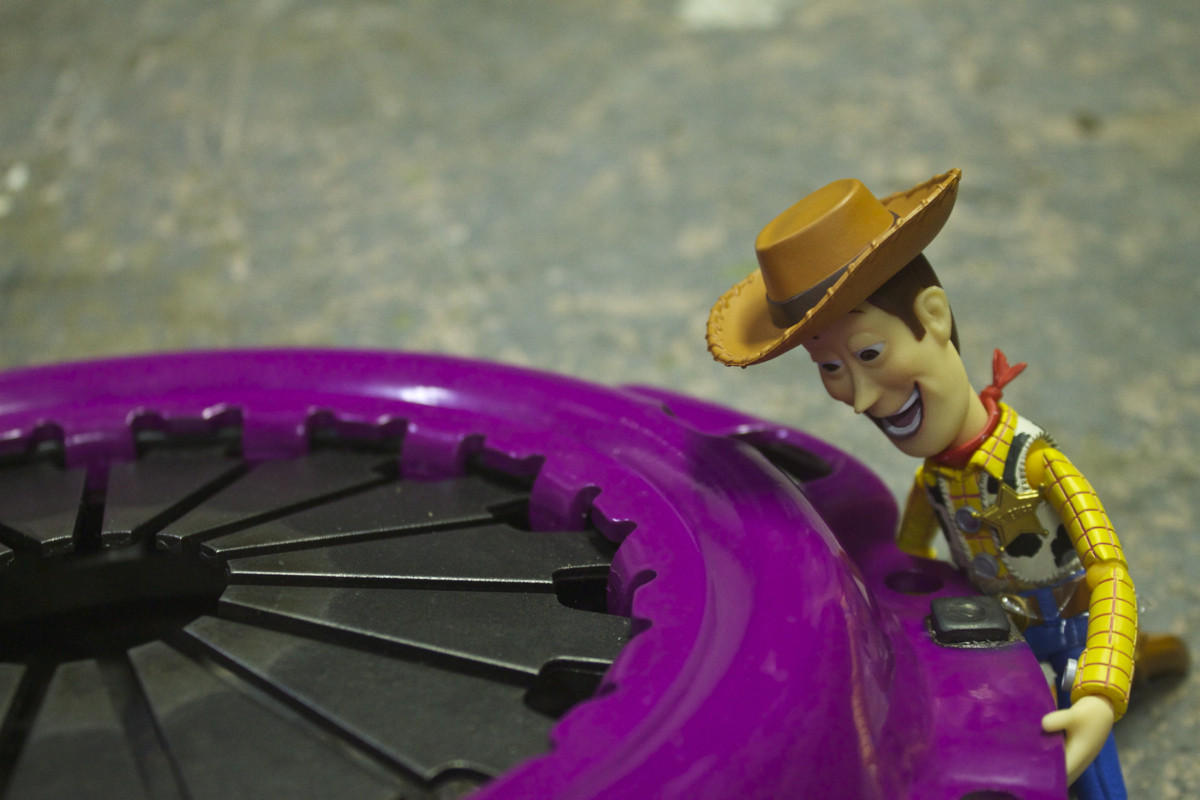
If the pics break again, here's a link:
http://morshu.imgur.com/woody
If the pics break again, here's a link:
http://morshu.imgur.com/woody
Last edited by Morshu; Feb 14, 2013 at 05:02 PM.
Reply
 0
0

0




Thread Starter
Junior Member
Joined: Nov 2012
Posts: 58
Total Cats: 0
From: SF Bay Area
Whenever I put pics on imgur and embed them, the site tries to save them and fails. They work for a bit and then don't. I hopefully fixed them, I'll see how long it lasts this time
Reply
0
0
Either:
1) Click on the pic when you are still on imgur so it shows ONLY the picture (and not the rest of the site) and save that address.
2) Right click on the pic and select 'copy image URL' (that's what it says for me on Chrome, not sure what browser you are using).
3) Add '.jpg' to the URL before submitting it on MT.Net
Imgur often shows the image on a page without the extension (.jpg, .gif, .whatever), which the MT.Net code does not know what to do with.
1) Click on the pic when you are still on imgur so it shows ONLY the picture (and not the rest of the site) and save that address.
2) Right click on the pic and select 'copy image URL' (that's what it says for me on Chrome, not sure what browser you are using).
3) Add '.jpg' to the URL before submitting it on MT.Net
Imgur often shows the image on a page without the extension (.jpg, .gif, .whatever), which the MT.Net code does not know what to do with.
Reply
0
0
Either:
1) Click on the pic when you are still on imgur so it shows ONLY the picture (and not the rest of the site) and save that address.
2) Right click on the pic and select 'copy image URL' (that's what it says for me on Chrome, not sure what browser you are using).
3) Add '.jpg' to the URL before submitting it on MT.Net
Imgur often shows the image on a page without the extension (.jpg, .gif, .whatever), which the MT.Net code does not know what to do with.
1) Click on the pic when you are still on imgur so it shows ONLY the picture (and not the rest of the site) and save that address.
2) Right click on the pic and select 'copy image URL' (that's what it says for me on Chrome, not sure what browser you are using).
3) Add '.jpg' to the URL before submitting it on MT.Net
Imgur often shows the image on a page without the extension (.jpg, .gif, .whatever), which the MT.Net code does not know what to do with.

Reply
0
0


Because it eats my back button on mobile. Go to PB on a phone -> press the back button -> doesn't go back, keeps you on that page -> press the back button again -> throw away useless phone which won't go back anymore.
Reply
0
0


Thread
Thread Starter
Forum
Replies
Last Post
StratoBlue1109
Miata parts for sale/trade
21
Sep 30, 2018 01:09 PM
graexodus
Miata parts for sale/trade
5
Oct 26, 2015 01:48 PM


