DIYPNP install: inital tuning





Autotune first and get a fuel map you're happy with. No telling what issues may pop up, and we can't tell you anything about your cams, as we mostly have stock cams. Plus they're already in and you finally got it running, go drive it.
Reply
 0
0

0

Thread Starter
Junior Member
Joined: Jun 2007
Posts: 411
Total Cats: 0
Yup, I kinda decided on doing that first. But I have different cams from US/Japanese cars too. Milder.
OK I got issues wiring in the vTPS from an automatic Miata. I wired it in as per Braineack's instructions:
Calibrated it, got this. Does it look correct?
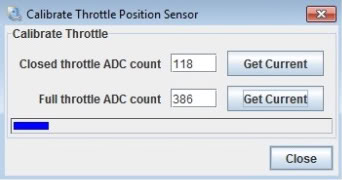
Started the car, idles OK, but stepping on the throttle, the TPS values are off! Stepping on it hardly registers, TPS values go up to 20-35 on WOT! And not linearly. Weird.
Log attached.
OK I got issues wiring in the vTPS from an automatic Miata. I wired it in as per Braineack's instructions:
B/R of TPS goes to LG/W of harness
LG/R of TPS goes to R
B/LG of TPS goes to BG/LG
LG/R of TPS goes to R
B/LG of TPS goes to BG/LG
Started the car, idles OK, but stepping on the throttle, the TPS values are off! Stepping on it hardly registers, TPS values go up to 20-35 on WOT! And not linearly. Weird.
Log attached.
Last edited by Greg G; Mar 19, 2011 at 07:38 AM.
Reply
0
0
Thread Starter
Junior Member
Joined: Jun 2007
Posts: 411
Total Cats: 0
Having the wires physically traced back to the ECU. Because of the supercharger installation, the TPS harness was extended. The motherfer who did it made red wire = ground, black = 5v! WTF 
I know TPS signal wire goes to 2L, where is the 5v reference wire from?
I know TPS signal wire goes to 2L, where is the 5v reference wire from?
Reply
0
0
Thread Starter
Junior Member
Joined: Jun 2007
Posts: 411
Total Cats: 0
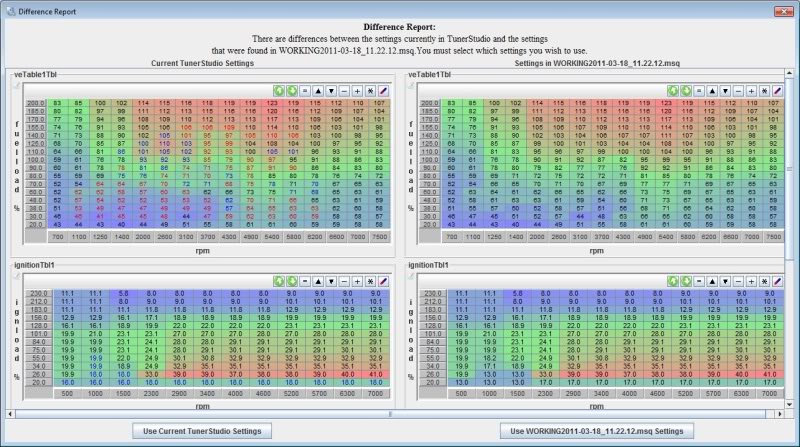
Results from my first session with autotune. Any good? I didn't allow it to autotune below 1200 rpm and >35 kpa. Added some timing to the bottom row in the hopes of improving the AC idle dip.
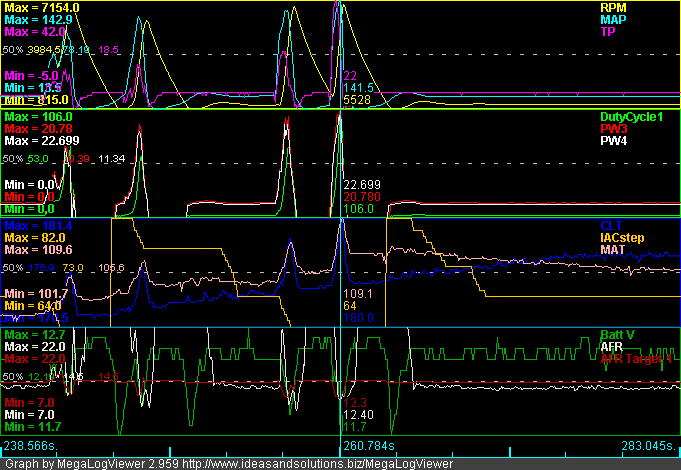
Whoa! 106 duty cycle? 22 PW?
Also seen is the TPS weirdness. Is the TPS causing the IAC to freak out?
Whoa! 106 duty cycle? 22 PW?
Also seen is the TPS weirdness. Is the TPS causing the IAC to freak out?
Last edited by Greg G; Mar 19, 2011 at 08:07 AM.
Reply
0
0
Thread Starter
Junior Member
Joined: Jun 2007
Posts: 411
Total Cats: 0
More on the TPS weirdness here:
https://www.miataturbo.net/megasquirt-18/strange-tps-values-when-engine-running-55008/
https://www.miataturbo.net/megasquirt-18/strange-tps-values-when-engine-running-55008/
Reply
0
0

Thread Starter
Junior Member
Joined: Jun 2007
Posts: 411
Total Cats: 0
Sigh. I think the TPS is a dud. Anyway, will try running without it first.
Upgraded to firmware 3.1.2 for the improved idle PID. Kiiinda better I guess. Still working on the AC oscillation thing.
Noob TS question-- how do I get rid of this error message in my dash? I can't find AFR targets in the right click menu.
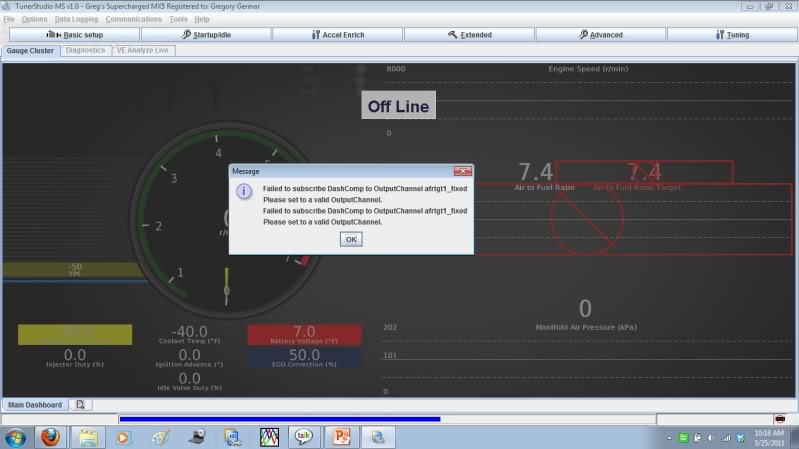
^ Fixed, I'm a moron, I needed to copy a file custom.ini to the projectcfg folder. :P
Upgraded to firmware 3.1.2 for the improved idle PID. Kiiinda better I guess. Still working on the AC oscillation thing.
Noob TS question-- how do I get rid of this error message in my dash? I can't find AFR targets in the right click menu.
^ Fixed, I'm a moron, I needed to copy a file custom.ini to the projectcfg folder. :P
Last edited by Greg G; Mar 25, 2011 at 05:37 AM.
Reply
0
0

Thread Starter
Junior Member
Joined: Jun 2007
Posts: 411
Total Cats: 0
AC idling issues
Everything is nice and smoothe excpet when the AC turns on, and the usual oscillations start.
I tried messing with the minimum IAC duty, and stumbled upon this idle when I raised it to 39.8%, and turned down the idle rpms at the throttle screw.
Before AC
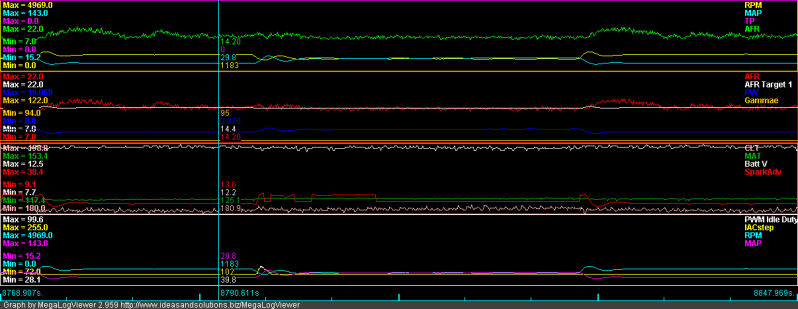
Increased load
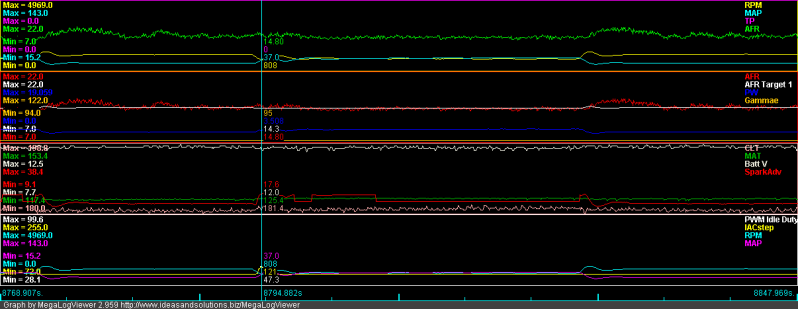
Settles down
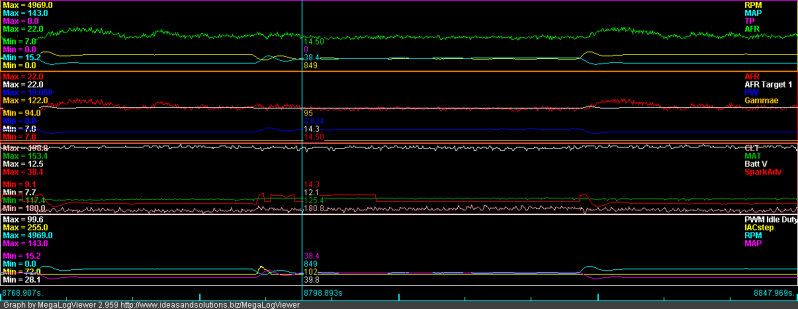
Lowering it to 35% brought oscillations back.
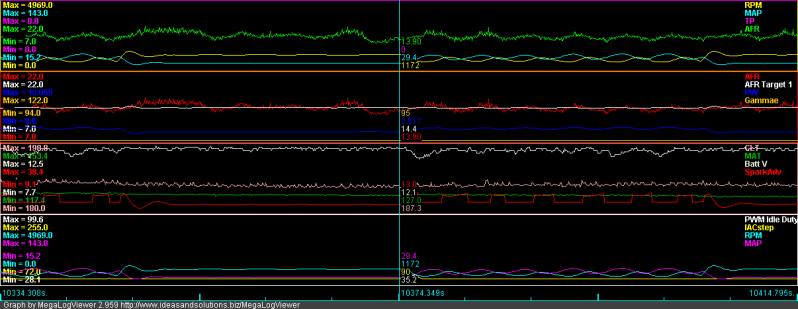
Thoughts? It seems the wrong way to go about it, but it seems to work. Will mess around some more...
I tried messing with the minimum IAC duty, and stumbled upon this idle when I raised it to 39.8%, and turned down the idle rpms at the throttle screw.
Before AC
Increased load
Settles down
Lowering it to 35% brought oscillations back.
Thoughts? It seems the wrong way to go about it, but it seems to work. Will mess around some more...
Reply
0
0


its partially your spark advance. get it to smooth out when the a/c turns on and rpms oscilate a little and your rpms will also smooth out. see how it goes up and down? that's part of it.
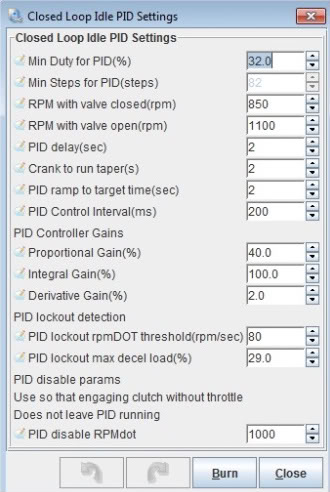
can you post a shot of your current PID idle settings? fine tuning those will probably fix the rest.
can you post a shot of your current PID idle settings? fine tuning those will probably fix the rest.
Reply
0
0
youre going to have to watch it when youre idling. open your spark table and watch your spark advance gauge, then watch where the ecu is advancing from when you turn on the a/c on your map. Try to fine tune that load/rpm area so it stays stable when the a/c is turned on. You may want to play with the load rows.
you can also try using the idle advance feature too, this worked fairly well for me.
off the top of my head my PID values are P - 6, I - 45, D -8. What are yours?
you can also try using the idle advance feature too, this worked fairly well for me.
off the top of my head my PID values are P - 6, I - 45, D -8. What are yours?
Reply
0
0
Thread Starter
Junior Member
Joined: Jun 2007
Posts: 411
Total Cats: 0
Really!? My PID values are pretty high then :P
What's the relationship of the closed loop idle valve settings to the closed loop PID settings? Am confused on that. Posted my spark table for suggestions. And msq, msl files for your perusal
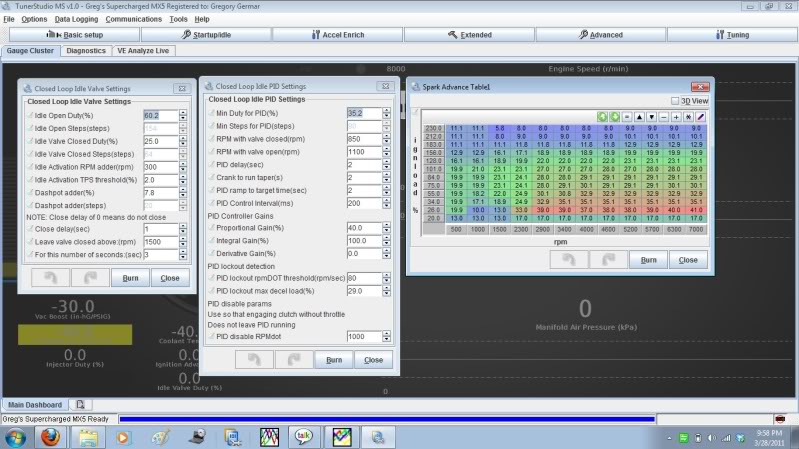
Also have this occasional weird high idle hangup. Usually after a hot restart. Calms down after a while.
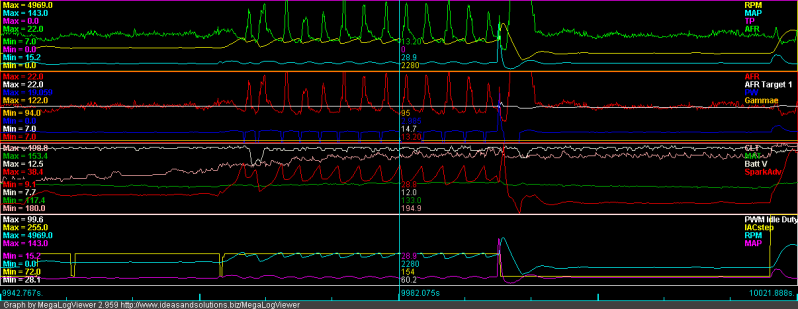
I tried the idle valve test, but it just went crazy high idle and wouldn't go down until I restarted the car. @_@
What's the relationship of the closed loop idle valve settings to the closed loop PID settings? Am confused on that. Posted my spark table for suggestions. And msq, msl files for your perusal
Also have this occasional weird high idle hangup. Usually after a hot restart. Calms down after a while.
I tried the idle valve test, but it just went crazy high idle and wouldn't go down until I restarted the car. @_@
Reply
0
0
Thread Starter
Junior Member
Joined: Jun 2007
Posts: 411
Total Cats: 0
Should I rearrange my spark table rpm break points to add resolution to the idle areas? Perhaps a 500/750/1000?
I can also steal the 2 upper rows, since my car won't be hitting those map values.
I can also steal the 2 upper rows, since my car won't be hitting those map values.
Reply
0
0
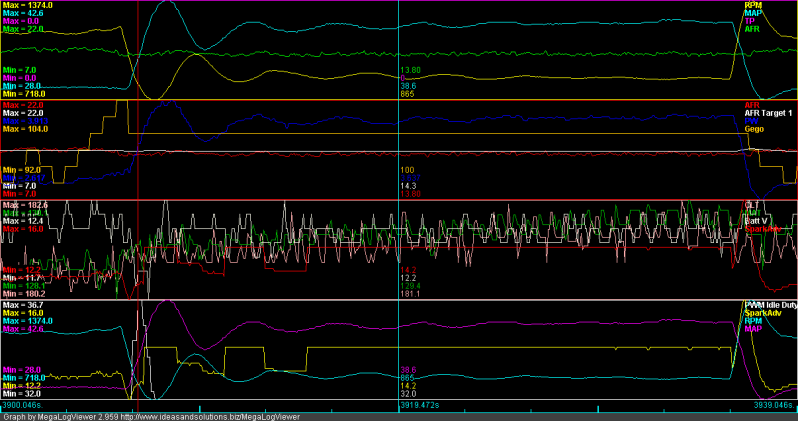
Nice, surprised it's idling so low with a/c on and so high without it. the code should be able to get them very close to your targets regardless.
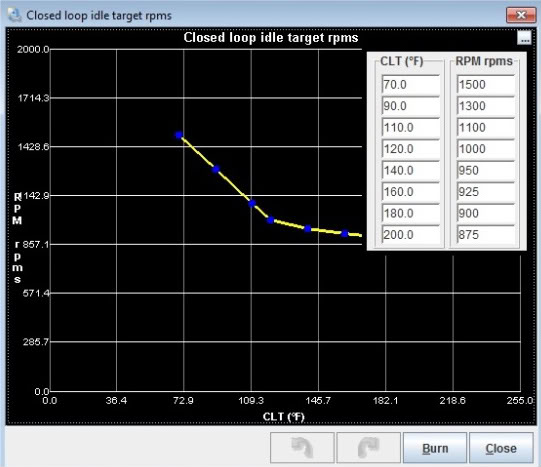
how are your RPM targets looking? what is it trying to achieve?
how are your RPM targets looking? what is it trying to achieve?
Reply
0
0
theres another table that are just your RPM targets for the PID code to try to hit. CLT based.
your dashpot is pretty high as it is, when you rev the motor you should see the PWM% for the idle valve increase by 7% and then settle back down after 2 seconds once the PID kicks in.
Watch your AFRs and timing when that happens. They both play a big role in keeping things stable.
your dashpot is pretty high as it is, when you rev the motor you should see the PWM% for the idle valve increase by 7% and then settle back down after 2 seconds once the PID kicks in.
Watch your AFRs and timing when that happens. They both play a big role in keeping things stable.
Reply
0
0