


Please help me understand why VEAL won't make changes


Thread Starter
Junior Member
iTrader: (7)
Joined: Mar 2013
Posts: 150
Total Cats: 40
From: Des Moines, IA
 Please help me understand why VEAL won't make changes
I installed a secondhand Rev built MS2E on my NB1 over the weekend. After a few hiccups, I have it starting and idling (@ 1000rpm) very reliably - much to the thanks of ample spoon-feeding by mlev, who was the previous owner.
I drove the car a little more today, and I'm trying to use VEAL to do the heavy lifting with my tune. For the life of me, I cannot understand why it won't make any changes. I *think* it was updating when I took those first trips around the block, but honestly I was so overwhelmed I can't say for sure
Here is my VEAL screen, showing the filters (they are knocked back, still nothing):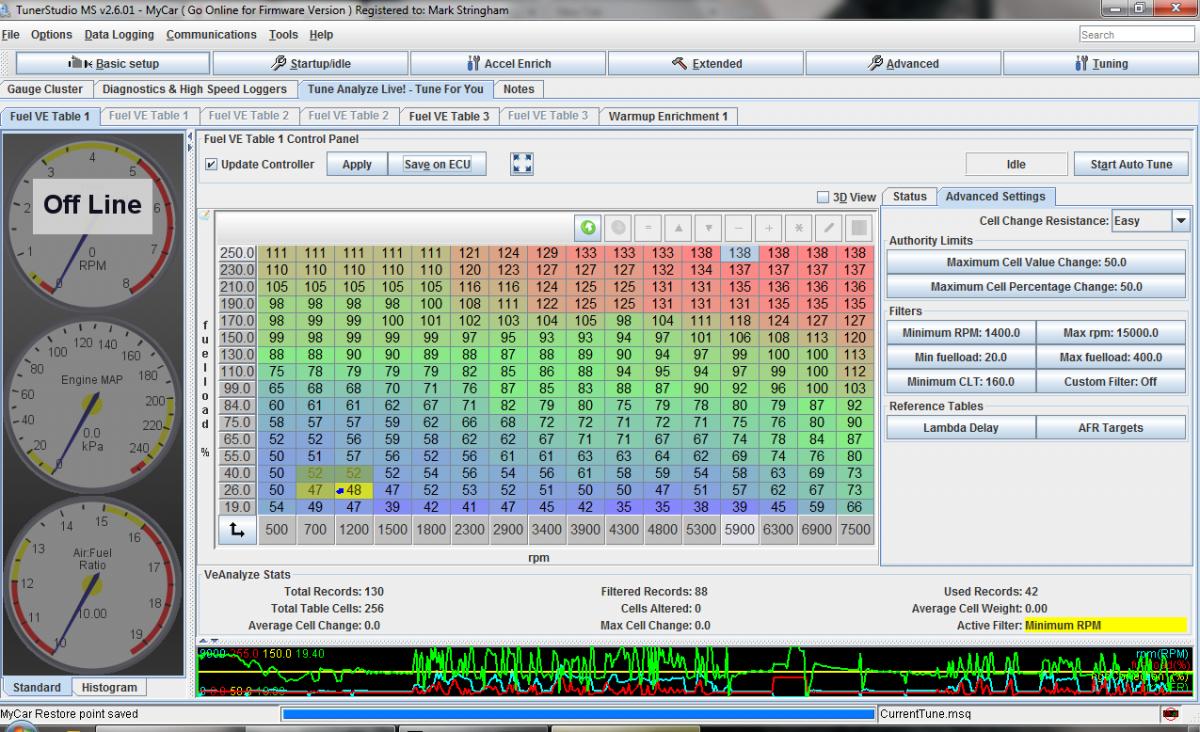
Right after the above driving session resulted in no autotuning, I dumped the log of the same session into MegaLogViewer and ran VE Analyze on it with the following results:
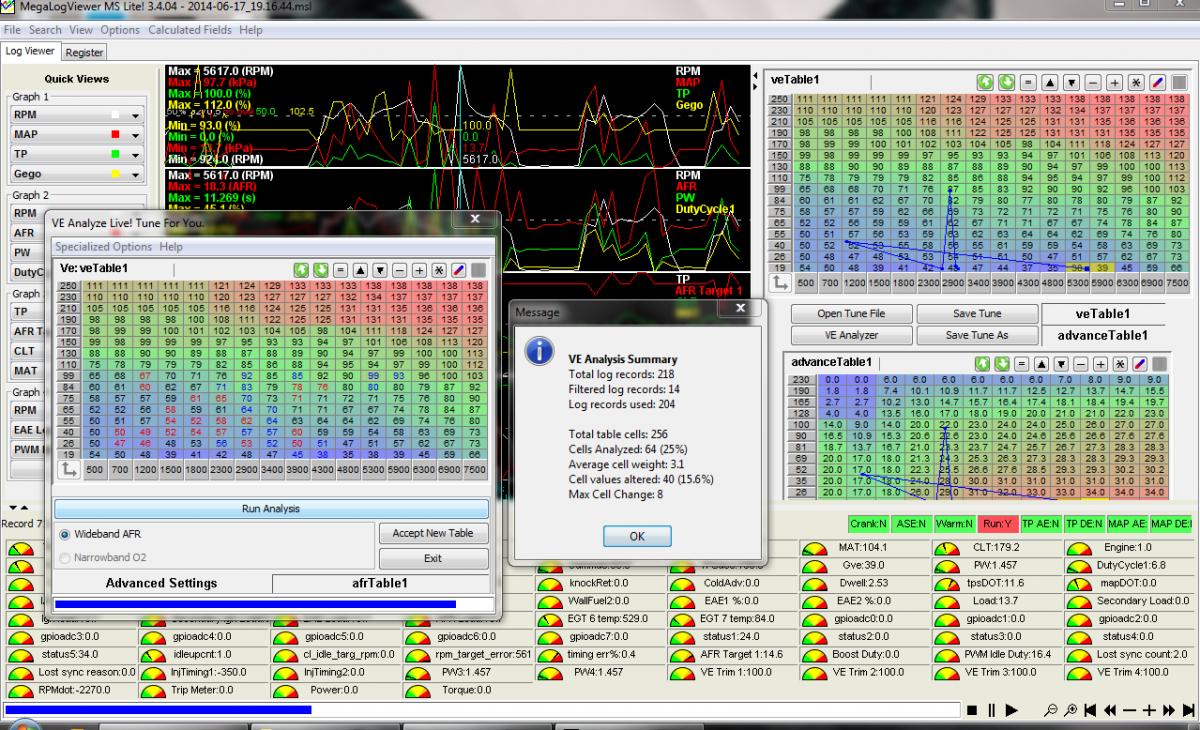
40 Changes! Obviously there is tuning to be done - what settings do I have that are keeping VEAL from making them on the fly?
I've messed with my EGO settings - it's remained active for my testing; first trying the defaults, and then Brain's settings I found in his DIYPNP Installation Instructions PDF. Tried both Simple and PID algorithms. I've calibrated my AEM UEGO to the AFR table, it seems to read within .1-.4 at all times, albeit slightly delayed. I'm hoping there is something very simple I've overlooked, so please let me know what it is and flame away.
I drove the car a little more today, and I'm trying to use VEAL to do the heavy lifting with my tune. For the life of me, I cannot understand why it won't make any changes. I *think* it was updating when I took those first trips around the block, but honestly I was so overwhelmed I can't say for sure
Here is my VEAL screen, showing the filters (they are knocked back, still nothing):
Right after the above driving session resulted in no autotuning, I dumped the log of the same session into MegaLogViewer and ran VE Analyze on it with the following results:
40 Changes! Obviously there is tuning to be done - what settings do I have that are keeping VEAL from making them on the fly?
I've messed with my EGO settings - it's remained active for my testing; first trying the defaults, and then Brain's settings I found in his DIYPNP Installation Instructions PDF. Tried both Simple and PID algorithms. I've calibrated my AEM UEGO to the AFR table, it seems to read within .1-.4 at all times, albeit slightly delayed. I'm hoping there is something very simple I've overlooked, so please let me know what it is and flame away.
Reply
 0
0

0
Thread Starter
Junior Member
iTrader: (7)
Joined: Mar 2013
Posts: 150
Total Cats: 40
From: Des Moines, IA
Thanks for the reply, but after paying $59.95 to specifically use this feature, that's not going to be an acceptable solution for me. I still think it's more likely that I'm screwing something up in my settings, not dealing with a software bug. Is this a known/common issue?
Reply
0
0

Junior Member
Joined: Aug 2010
Posts: 81
Total Cats: -10
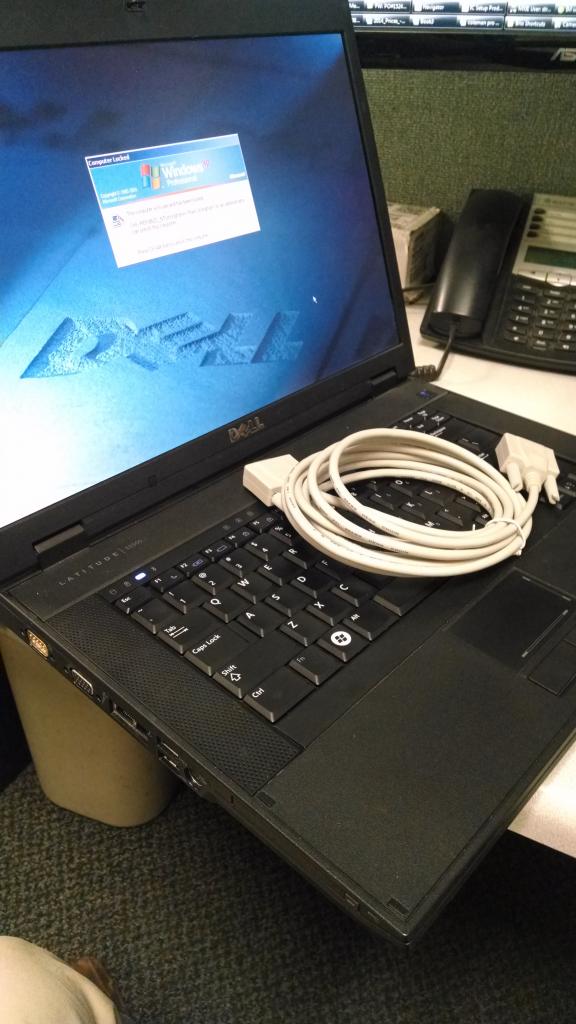
One thing I haven't tried yet was to get a Serial cable laptop and ditch the USB to serial adaptor cable. Maybe try that?!
Maybe try to look on the Megasquirt forums and if you get anywhere please report back
Maybe try to look on the Megasquirt forums and if you get anywhere please report back
Reply
0
0

Thread Starter
Junior Member
iTrader: (7)
Joined: Mar 2013
Posts: 150
Total Cats: 40
From: Des Moines, IA
Just found this on the msextra forums, I'm at the office now so I can't check my Data Rate, but I'll give it a try over lunch.
Another poster said that VEAL would only make changes with EGO turned off... I'm pretty sure I read a post on here yesterday that said you need EGO turned on for VEAL to work properly. It would make sense to me that these settings are used by VEAL to preform the adjustment calculations. Can anyone provide clarification?
Re: Cannot auto tune using Ve Analyze Live:Solved
Postby danielni » Thu May 12, 2011 10:49 am
"Also, What is your data rate set to under the menu:
Communications --> Data Rate"
Funny you point that now, I just returned from a successful tune ride.
Before reading this message, I remembered setting the rate to 1 per second in order to solve the TS crash (Which was ultimately due to a faulty USB cable driver).
So after setting to 10 Frames/s, all worked!
That is a great tool, recommended to everyone and worth every penny.
Postby danielni » Thu May 12, 2011 10:49 am
"Also, What is your data rate set to under the menu:
Communications --> Data Rate"
Funny you point that now, I just returned from a successful tune ride.
Before reading this message, I remembered setting the rate to 1 per second in order to solve the TS crash (Which was ultimately due to a faulty USB cable driver).
So after setting to 10 Frames/s, all worked!
That is a great tool, recommended to everyone and worth every penny.
Reply
0
0




Thread Starter
Junior Member
iTrader: (7)
Joined: Mar 2013
Posts: 150
Total Cats: 40
From: Des Moines, IA
My data rate was set to 15 frames, tried 10 - still did the exact same thing. While VEAL is running it shows the little dot moving around and tracing the active cells, "Correcting Table" is blinking red in the right hand corner, Update Controller is checked... Everything looks like it's working, it's just not making any changes.
I have a hard time believing it's a connection issue, everything else seems to be working perfectly. If my laptop had a serial port I would definitely try that, but I really need to get this working with a USB connection. Any other ideas?
I have a hard time believing it's a connection issue, everything else seems to be working perfectly. If my laptop had a serial port I would definitely try that, but I really need to get this working with a USB connection. Any other ideas?
Reply
0
0


Winning.
I'm very curious to know if the serial cable fixes it or not. I had the issue and several others have had it recently as well. I know it fixed my issues, but I haven;t seen any others post if it fixed theirs or not.
I'm very curious to know if the serial cable fixes it or not. I had the issue and several others have had it recently as well. I know it fixed my issues, but I haven;t seen any others post if it fixed theirs or not.
Reply
0
0
Thread Starter
Junior Member
iTrader: (7)
Joined: Mar 2013
Posts: 150
Total Cats: 40
From: Des Moines, IA
So I haven't set up the new tuning laptop yet, but on my way home from the office VEAL starting working on my existing setup.  I only did two things differently:
1) Before I started auto-tuning, I selected all the VE cells on the map on the VEAL tap, right clicked, and hit "Back to Original Value" I really doubt this did anything.
2) I used a different USB port on my laptop. I know I have tried this port before, with no results, so this doesn't make much sense.
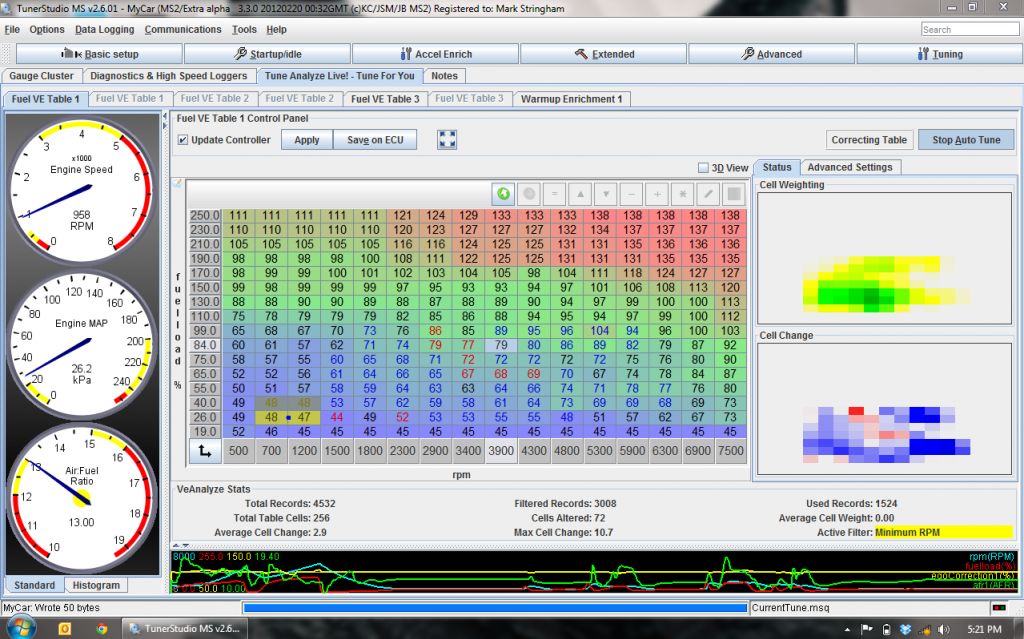
This is definitely feeling like a bad install//bad data communication. I do a new install with the direct serial connection and report back if anything changes. By the way, VE Analyze Live is totally bitchin' and worth the price of admission. The car is already running quite a bit better. Proof:
I only did two things differently: 1) Before I started auto-tuning, I selected all the VE cells on the map on the VEAL tap, right clicked, and hit "Back to Original Value" I really doubt this did anything.
2) I used a different USB port on my laptop. I know I have tried this port before, with no results, so this doesn't make much sense.
This is definitely feeling like a bad install//bad data communication. I do a new install with the direct serial connection and report back if anything changes. By the way, VE Analyze Live is totally bitchin' and worth the price of admission.
The car is already running quite a bit better. Proof:
Reply
0
0


