Notices
Race Prep Miata race-only chat.
Sponsored by:
Sponsored by: 949 Racing

Sub $50 10Hz GPS Receiver

Thread Tools
 
Search this Thread
 
Old Mar 12, 2015 | 12:43 PM
  #101  
EO2K's Avatar
Elite Member
iTrader: (37)
 
Joined: Apr 2010
Posts: 10,477
Total Cats: 1,924
From: Very NorCal
Default

Originally Posted by aidandj
Andddd group buy for those interested:

https://www.miataturbo.net/miata-par...1/#post1214229
Awww yissss!
Old Mar 12, 2015 | 01:06 PM
  #102  
cyotani's Avatar
Senior Member
iTrader: (8)
 
Joined: Jan 2012
Posts: 1,407
Total Cats: 117
From: Azusa, CA
Default

Originally Posted by aidandj
Thingiverse link for those interested in the DIY:

Bluetooth GPS for Car by Bartimaeus - Thingiverse
much props sir. I picked up a racecapture so I don't need one at the moment but many people can benefit from this. Thanks for sharing!
Old Apr 3, 2015 | 04:27 AM
  #103  
Schuyler's Avatar
Senior Member
iTrader: (1)
 
Joined: Apr 2011
Posts: 1,332
Total Cats: 87
From: Columbia, SC
Default

So i wired this thing all up, and racechrono and another external GPS app don't show anyhting. Racechrono starts at "Connecting to GPS", then bounces between "No Data from GPS", and "No fix to satellites".

The red LED on the GPS is flashing, when as I understand it means it has a fix.

Any suggestions?
Old Apr 3, 2015 | 11:51 AM
  #104  
aidandj's Avatar
Thread Starter
SADFab Destructive Testing Engineer
iTrader: (5)
 
Joined: Apr 2014
Posts: 18,643
Total Cats: 1,870
From: Beaverton, USA
Default

Originally Posted by Schuyler
So i wired this thing all up, and racechrono and another external GPS app don't show anyhting. Racechrono starts at "Connecting to GPS", then bounces between "No Data from GPS", and "No fix to satellites".

The red LED on the GPS is flashing, when as I understand it means it has a fix.

Any suggestions?
Send me your wiring diagram/picture. Flashing red means you have a fix.

Also connect it to your computer and see what the output is. I had some issues with the one without a flash chip. Enough screwing with setting got it working though.
Old Apr 3, 2015 | 05:32 PM
  #105  
Schuyler's Avatar
Senior Member
iTrader: (1)
 
Joined: Apr 2011
Posts: 1,332
Total Cats: 87
From: Columbia, SC
Default

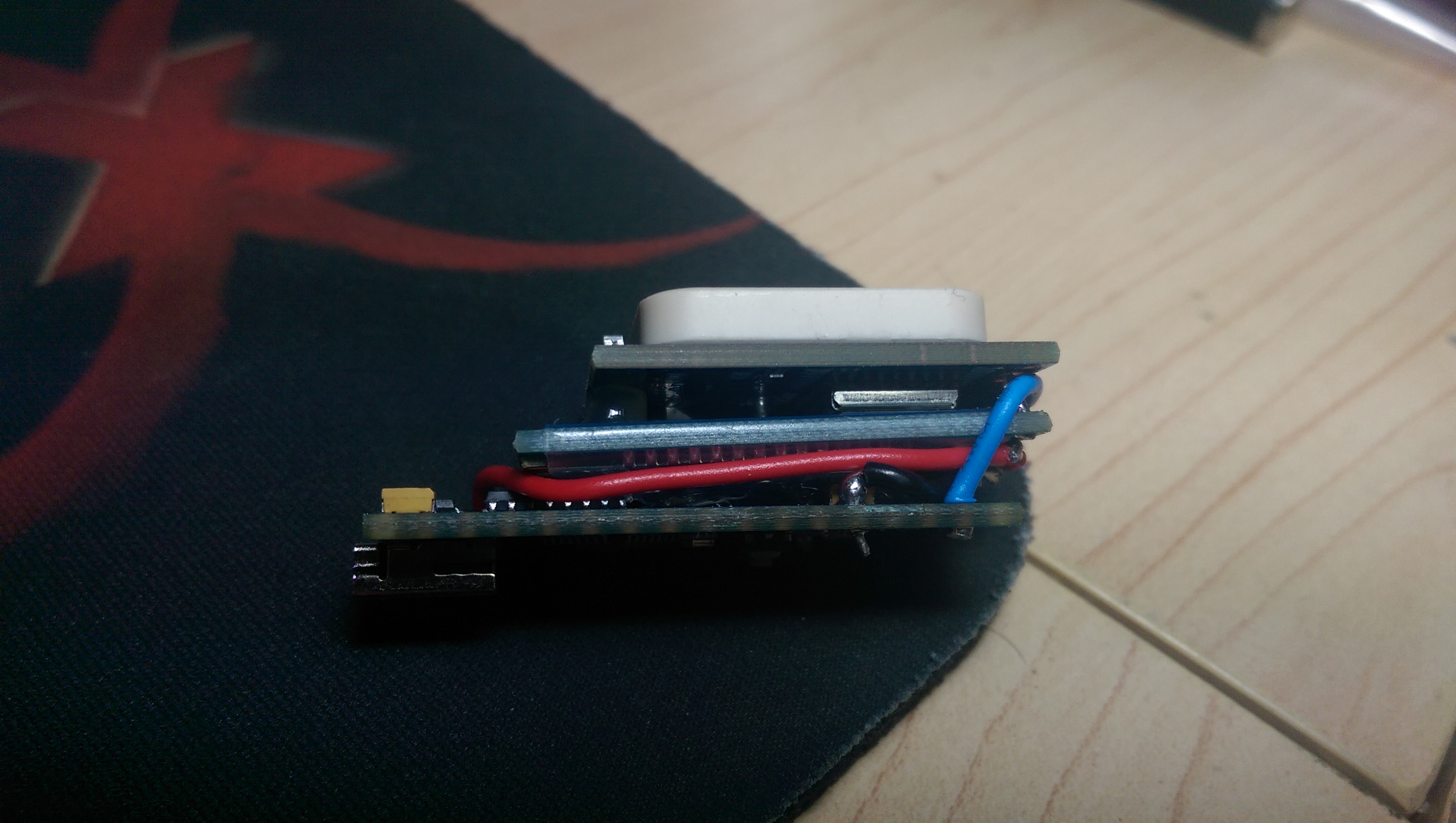
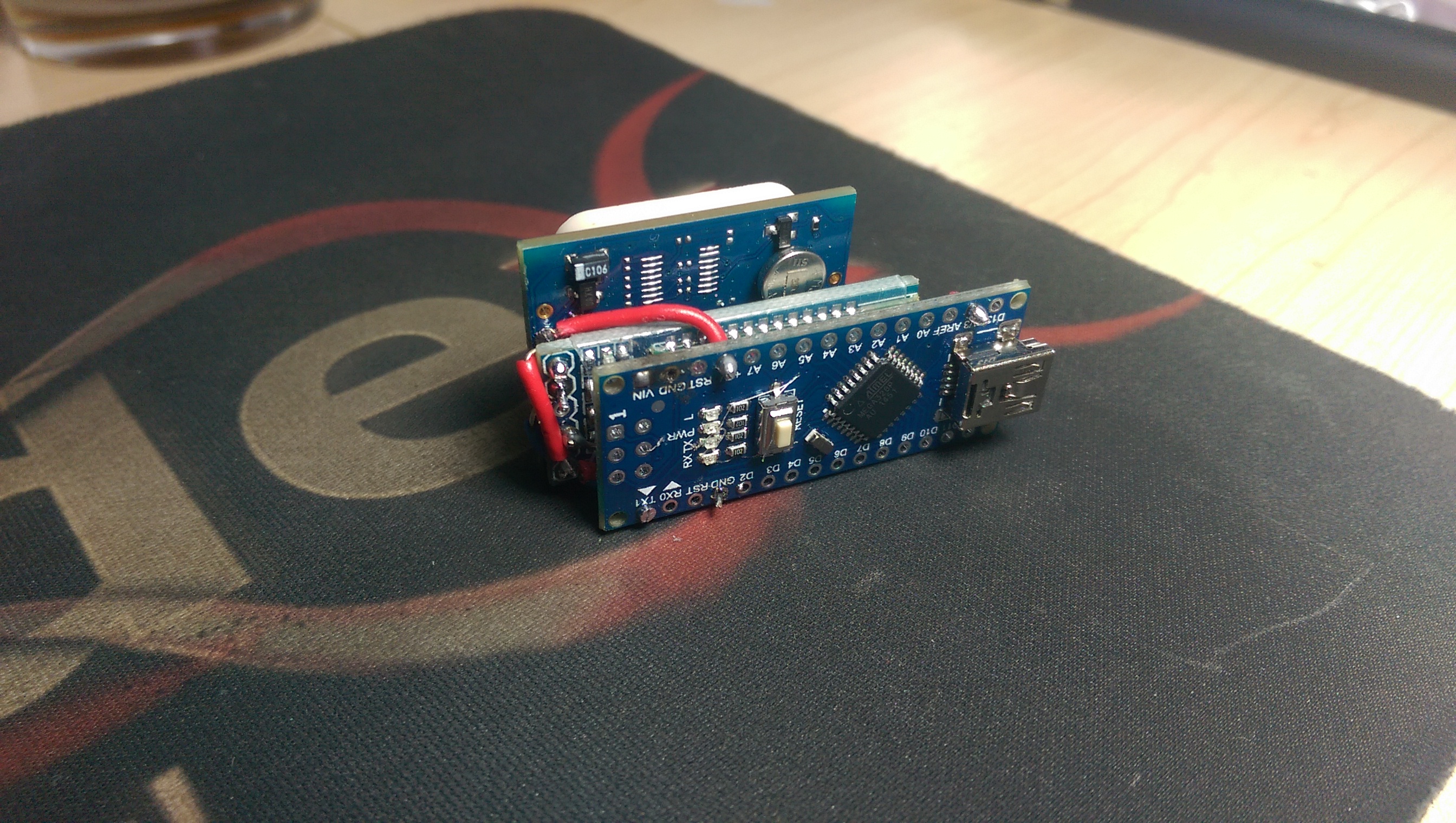
See, I drank beers and did this at 3am, and was quite confident it would work first try. So, it is a little compact to debug. Connecting to the computer via the gps only would likely prove somewhat difficult, as I planned on doing all the settings via Serial, without two-way communication. i.e. Serial only sends, as receive is going to Bluetooth. (also, don't hate on the soldering. harbor freight iron with a horrible tip :( My roommate moved to FL with his weller. I need to invest.)

Components:
Arduino Nano v3 (Arduino)
HC-06 Bluetooth module (Bluetooth)
REYAX RYN25GI u-blox MAX-7C GPS/QZSS (GPS) (The one without flash memory)

Arduino 5V -> GPS VDD
Arduino 3v3 -> Bluetooth VCC
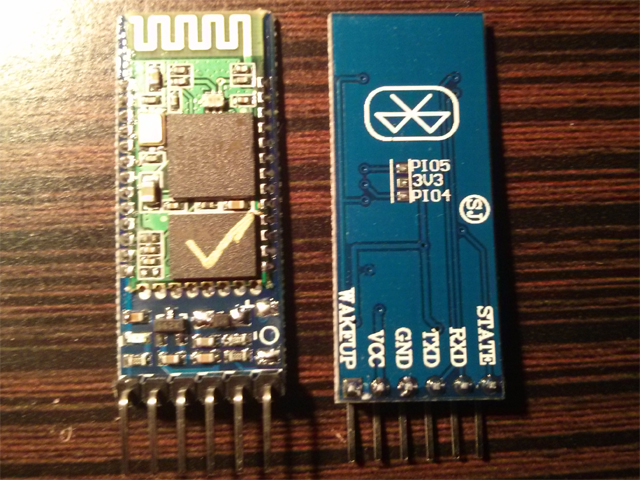
Arduino 3v3 -> Bluetooth Wakeup
Arduino TX1 -> GPS RX
GPS TX -> Bluetooth RX
GPS Gnd -> Bluetooth Gnd -> Arduino GND
(I think that's everything)
Name:  ZJSWNuq.jpg
Views: 350
Size:  913.7 KB

Name:  92FnIfh.jpg
Views: 442
Size:  1.37 MB
Old Apr 3, 2015 | 05:37 PM
  #106  
aidandj's Avatar
Thread Starter
SADFab Destructive Testing Engineer
iTrader: (5)
 
Joined: Apr 2014
Posts: 18,643
Total Cats: 1,870
From: Beaverton, USA
Default

What's Bluetooth wakeup?
Old Apr 3, 2015 | 05:41 PM
  #107  
Schuyler's Avatar
Senior Member
iTrader: (1)
 
Joined: Apr 2011
Posts: 1,332
Total Cats: 87
From: Columbia, SC
Default

My guesses were strictly based on what it sounds like, but i had no lights on the bluetooth module, nor could I find it with my phone, until I brought that pin HIGH.

Attached Thumbnails Sub  10Hz GPS Receiver-hc-05.jpg  
Old Apr 3, 2015 | 06:11 PM
  #108  
aidandj's Avatar
Thread Starter
SADFab Destructive Testing Engineer
iTrader: (5)
 
Joined: Apr 2014
Posts: 18,643
Total Cats: 1,870
From: Beaverton, USA
Default

In the past with the hc-05s I've used that pin sets it to master. But yours might be different can you connect to a terminal and see what's up? U-center should work.
Old Apr 3, 2015 | 06:12 PM
  #109  
hi_im_sean's Avatar
SadFab CEO
iTrader: (3)
 
Joined: Sep 2012
Posts: 4,560
Total Cats: 1,143
From: your mom's house phoenix, AZ
Default

Originally Posted by aidandj
What's Bluetooth wakeup?
probably an energy saving function
Old Apr 4, 2015 | 09:39 AM
  #110  
creon's Avatar
Newb
 
Joined: Dec 2014
Posts: 30
Total Cats: 0
Default

can't get mine on 10Hz :(
pinout as above

arduino sent to gps
"$PMTK220,100*2F"
"$PMTK314,0,1,0,0,0,0,0,0,0,0,0,0,0,0,0,0,0,0,0*29 "
Old Apr 4, 2015 | 05:25 PM
  #111  
Schuyler's Avatar
Senior Member
iTrader: (1)
 
Joined: Apr 2011
Posts: 1,332
Total Cats: 87
From: Columbia, SC
Default

Originally Posted by aidandj
In the past with the hc-05s I've used that pin sets it to master. But yours might be different can you connect to a terminal and see what's up? U-center should work.
I can, I just want to try and debug a little more before desoldering that whole thing.
Old Apr 4, 2015 | 05:30 PM
  #112  
aidandj's Avatar
Thread Starter
SADFab Destructive Testing Engineer
iTrader: (5)
 
Joined: Apr 2014
Posts: 18,643
Total Cats: 1,870
From: Beaverton, USA
Default

You should be able to connector to u-center over Bluetooth.
Old Apr 4, 2015 | 06:09 PM
  #113  
Schuyler's Avatar
Senior Member
iTrader: (1)
 
Joined: Apr 2011
Posts: 1,332
Total Cats: 87
From: Columbia, SC
Default

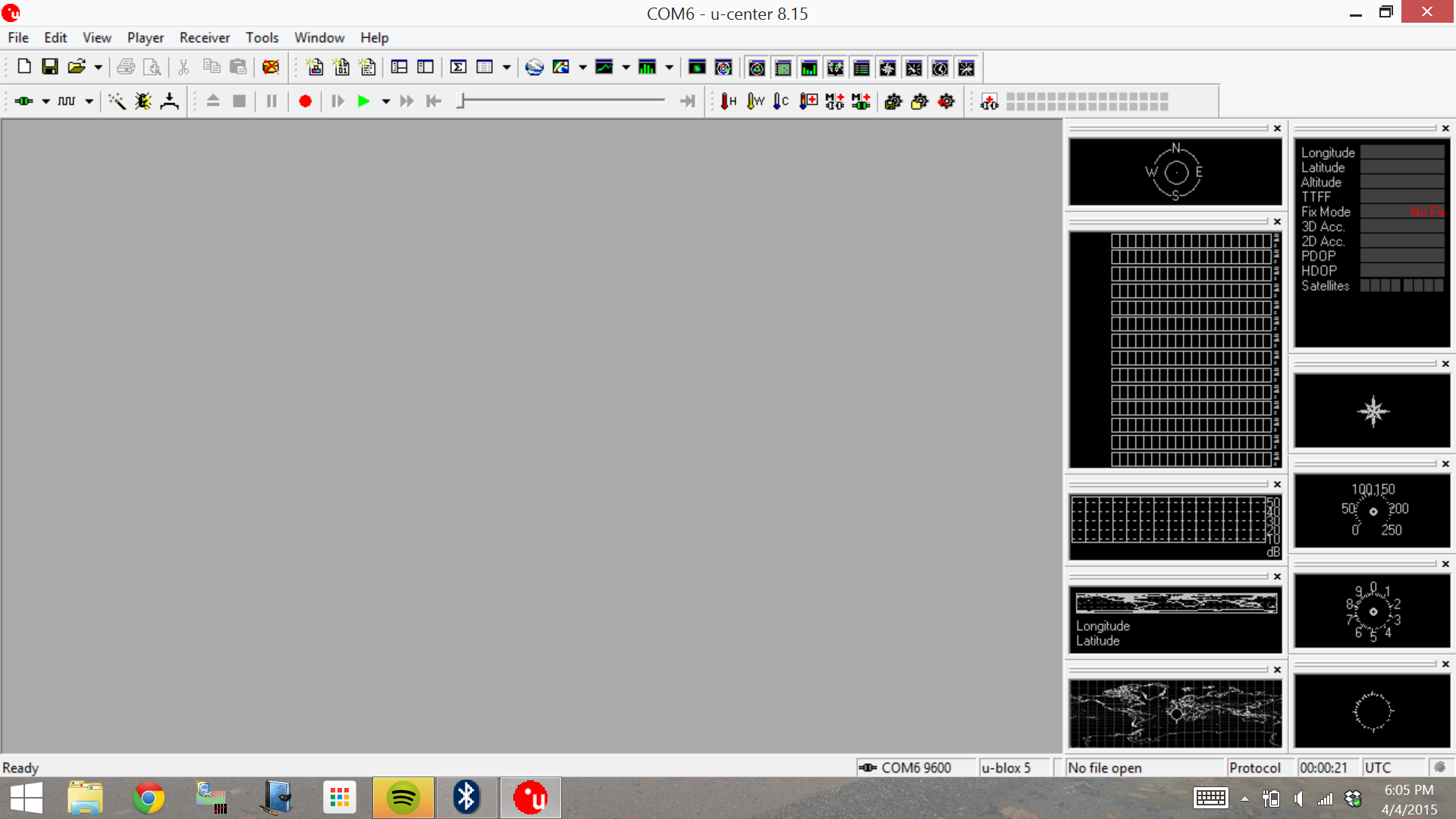
Removed the wakeup pin. Assuming all I had to do was select the right Com Port, this is all I get:

Name:  kLwAdi4.png
Views: 287
Size:  337.7 KB
Old Apr 4, 2015 | 06:10 PM
  #114  
aidandj's Avatar
Thread Starter
SADFab Destructive Testing Engineer
iTrader: (5)
 
Joined: Apr 2014
Posts: 18,643
Total Cats: 1,870
From: Beaverton, USA
Default

What about just a serial terminal.
Old Apr 7, 2015 | 03:57 AM
  #115  
creon's Avatar
Newb
 
Joined: Dec 2014
Posts: 30
Total Cats: 0
Default

aidandj

are your GPS modules already at 10Hz
or you have to put them there yourself on
if so, how do you do that?
you also change the baud rate?
Old Apr 7, 2015 | 04:43 AM
  #116  
Schuyler's Avatar
Senior Member
iTrader: (1)
 
Joined: Apr 2011
Posts: 1,332
Total Cats: 87
From: Columbia, SC
Default

Old Apr 7, 2015 | 08:37 AM
  #117  
aidandj's Avatar
Thread Starter
SADFab Destructive Testing Engineer
iTrader: (5)
 
Joined: Apr 2014
Posts: 18,643
Total Cats: 1,870
From: Beaverton, USA
Default

No they default to 1Hz. I use u-center to change the settings. Eventually I will try and see what commands u-center uses but right now I'm too busy actually making them.

Nope I leave baud at 9600.
Old Apr 7, 2015 | 08:39 AM
  #118  
creon's Avatar
Newb
 
Joined: Dec 2014
Posts: 30
Total Cats: 0
Default

thanks
batery will make the unit remeber the 10Hz setting?
Old Apr 7, 2015 | 08:41 AM
  #119  
aidandj's Avatar
Thread Starter
SADFab Destructive Testing Engineer
iTrader: (5)
 
Joined: Apr 2014
Posts: 18,643
Total Cats: 1,870
From: Beaverton, USA
Default

Originally Posted by creon
thanks
batery will make the unit remeber the 10Hz setting?
It didn't work on mine. That's why I switched to a chip with flash memory.
Old Apr 7, 2015 | 08:51 AM
  #120  
creon's Avatar
Newb
 
Joined: Dec 2014
Posts: 30
Total Cats: 0
Default

I read somewhere that the chip itself sees that he can not send as much data on 9600
and that he then switched back to 1Hz
Tonight another attempt
otherwise I have to figure out how I can put every time you start the setting to 10Hz using the Arduino


All times are GMT -4. The time now is 06:33 AM.