


Another Computer Build Thread



Joined: Oct 2011
Posts: 5,731
Total Cats: 830
From: Detroit (the part with no rules or laws)

You won't be able to use your current OS with all the new hardware. You'll either have to install windows on a new drive, or format that drive for a new version of windows. I usually install windows on the newer bigger faster drive. Then use the old one for storage.
The reason i ask if you were building around the PSU, is because that's not normally a good idea. There are 2 things you want to buy that you don't want to have to upgrade in a year. Motherboard, and PSU. Build around a motherboard and don't go for the budget low end one. Get the most recent socket type (AMD or Intel, whatever) and get a good one. Fast, modern chipset, Plenty of PCI slots, nothing less than 6 sATA slots. If your old HD is IDE (ribbon wire) you'll need that. blah blah.
That's the backbone of the computer, and you can always upgrade around it. But once the motherboard is outdated, then you're looking at updating more than you would otherwise.
Same with the PSU. They build them so good these days that you should get a decent 600w - 800w with good reviews and be done with it for your lifetime.
But you can't buy a PSU until you know what parts you have in your computer.
What if you buy a graphics card that has an 8 pin plug, but the PSU has no 8 pin?
Or if you end up with 4 hard drives, and a modern CD drive, but the PSU only has 3 sATA power connectors?
The reason i ask if you were building around the PSU, is because that's not normally a good idea. There are 2 things you want to buy that you don't want to have to upgrade in a year. Motherboard, and PSU. Build around a motherboard and don't go for the budget low end one. Get the most recent socket type (AMD or Intel, whatever) and get a good one. Fast, modern chipset, Plenty of PCI slots, nothing less than 6 sATA slots. If your old HD is IDE (ribbon wire) you'll need that. blah blah.
That's the backbone of the computer, and you can always upgrade around it. But once the motherboard is outdated, then you're looking at updating more than you would otherwise.
Same with the PSU. They build them so good these days that you should get a decent 600w - 800w with good reviews and be done with it for your lifetime.
But you can't buy a PSU until you know what parts you have in your computer.
What if you buy a graphics card that has an 8 pin plug, but the PSU has no 8 pin?
Or if you end up with 4 hard drives, and a modern CD drive, but the PSU only has 3 sATA power connectors?
Reply
 0
0

0


Joined: Sep 2005
Posts: 34,428
Total Cats: 7,548
From: Chicago. (The less-murder part.)
Indeed.
And seriously, buy an Intel motherboard. I cannot stress enough how much better that are than literally everything else out there, both in terms of build quality and also the quality and stability of the drivers, bios, etc.
I just upgraded my media server PC over the weekend. It's now running win 7 and has a 4tb drive installed, still with the same old Intel motherboard from 2004. Turns out that while Intel themselves no longer official support boards this old, every single component on it was natively supported by win 7 with no fuss.
And yeah, always do a fresh OS install when changing the motherboard. You can make it work without this, but it's sub optimal.
And seriously, buy an Intel motherboard. I cannot stress enough how much better that are than literally everything else out there, both in terms of build quality and also the quality and stability of the drivers, bios, etc.
I just upgraded my media server PC over the weekend. It's now running win 7 and has a 4tb drive installed, still with the same old Intel motherboard from 2004. Turns out that while Intel themselves no longer official support boards this old, every single component on it was natively supported by win 7 with no fuss.
And yeah, always do a fresh OS install when changing the motherboard. You can make it work without this, but it's sub optimal.
Reply
0
0


Joined: Oct 2011
Posts: 5,731
Total Cats: 830
From: Detroit (the part with no rules or laws)
It's not any more difficult than building a turbo setup.
I've said that before.
Newegg's black November deals are going on now, this is when you will find the best deals.
I've said that before.
Newegg's black November deals are going on now, this is when you will find the best deals.
Reply
0
0
For example, I have an older verison of divx to work with some stupid streaming I used to use.
I don't want to have to install the latest version of itunes (the cloud) and hope all my library copies over.
Then the only things I actually do on my computer: Adobe and Starcraft2 won't be fun reinstalling.
I have the SC2 CD, but then there's the expansion pack CD, and then the huge patch I'll have to d/l and install; I'll lose an entire day just dealing with Starcraft.
I have tons of Adobe software, with custom presets/actions that I'd have to figure out and save and then retorrent them all again and hope they work.
Buying the hardware and putting it together is easy, I've done it before, but the last computer I built was in 2000. So my biggest issue was just not knowing what's the must have or must avoids. My computer is really starting to lag but it works, so I'd like to just take my current image and just run it on new hardware up to the task. Then I can figure out a new drive/OS down the road.
Reply
0
0
Reply
0
0

You can try to take an image of your machine and load it up in Virtualbox or VMWare or something on the new machine. That might be more trouble than just re-installing everything though.
Reply
0
0
Joined: Oct 2011
Posts: 5,731
Total Cats: 830
From: Detroit (the part with no rules or laws)
It just won't work^
Keep it.
Some, not all. But some software may work if you don't boot from that drive.
This is really a moral choice on your part. Having a fresh OS, and fresh install of the programs i need on a bran new computer is great. Like a new car. But if you can't be bothered with installing things, then i can't help.
Oh, and there was a site somewhere that you could get old software. I forget what it is, but a simple google search should be able to bring it up easily. I used to do this all the time when i didn't want to download the latest AOL, or whatever stupid program there was. Maybe this was it http://www.oldversion.com
Some, not all. But some software may work if you don't boot from that drive.
This is really a moral choice on your part. Having a fresh OS, and fresh install of the programs i need on a bran new computer is great. Like a new car. But if you can't be bothered with installing things, then i can't help.
Oh, and there was a site somewhere that you could get old software. I forget what it is, but a simple google search should be able to bring it up easily. I used to do this all the time when i didn't want to download the latest AOL, or whatever stupid program there was. Maybe this was it http://www.oldversion.com
Reply
0
0

Joined: Sep 2005
Posts: 34,428
Total Cats: 7,548
From: Chicago. (The less-murder part.)
By all means, give it a try. But before you do, while the drive is still installed in the original machine, CREATE A BACKUP IMAGE OF IT. Don't just back up the files, you need an IMAGE of the drive (like an .iso, but for hard disks) that can be restored.
Norton Ghost is the commonest application for this purpose. You create a bootable CD-ROM with Ghost on it, boot from that device, then clone the first (primary) hard drive out to an image file on a second (eg: USB) hard drive.
Once that's done, if you **** everything up then you can boot from the CD again and restore the image back to the primary hard drive.
If you prefer something Free (and legal), there's Acronis True Image Free.
Reply
0
0

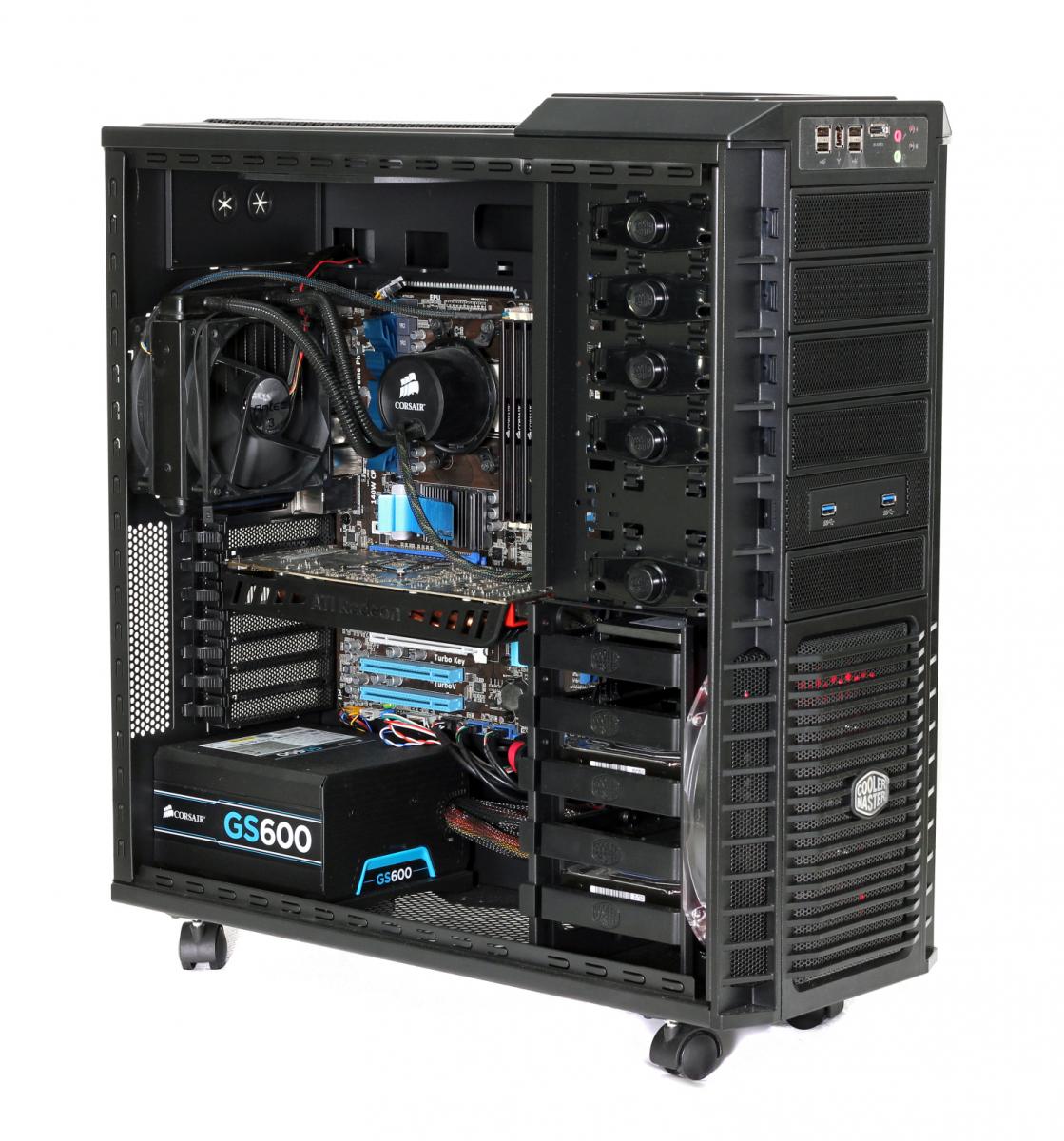
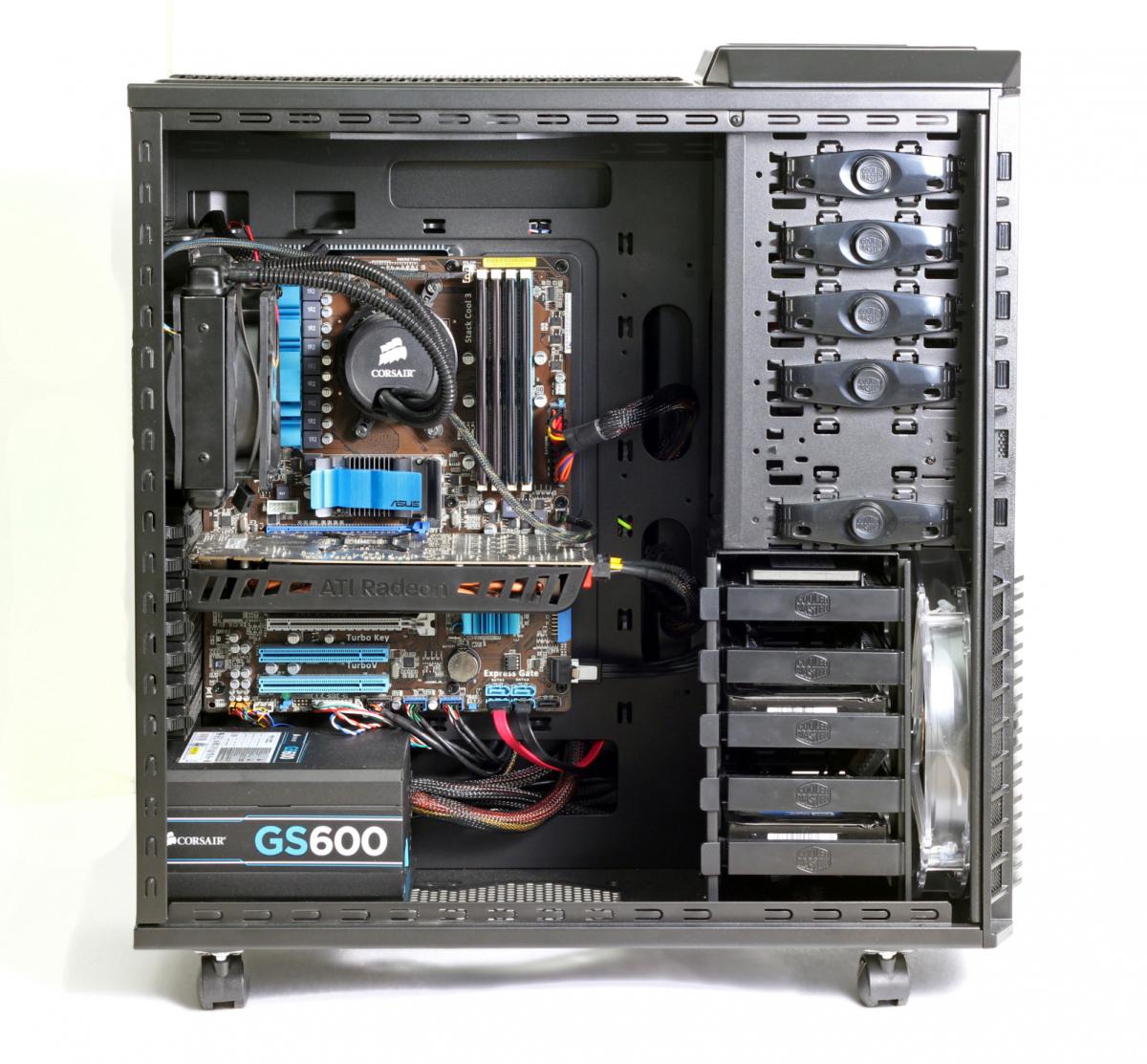
Phenom II x4 955 overclocked to 4.0GHz. At the moment its still at 200 MHz FSB, with an "all multiplier" overclock, but previously Ive had it up at 220 MHz FSB and less multiplier. Its at stock voltage.
Ive become convinced that this motherboard is reporting my cpu temps incorrectly. This CPU on another mobo always ran cool even at 4.0Ghz. On this mobo it says Im idling at like 50C, and hitting 60C under load, which is close to where it should auto-shutdown to protect the cpu.
Meanwhile, my buddy just did a build with an AMD piledriver 8 core, overclocked to 4.5 Ghz and his mobo is reporting idle temps below ambient temperature.
Im starting to think these temperature measurements are worthless.
Ive become convinced that this motherboard is reporting my cpu temps incorrectly. This CPU on another mobo always ran cool even at 4.0Ghz. On this mobo it says Im idling at like 50C, and hitting 60C under load, which is close to where it should auto-shutdown to protect the cpu.
Meanwhile, my buddy just did a build with an AMD piledriver 8 core, overclocked to 4.5 Ghz and his mobo is reporting idle temps below ambient temperature.
Im starting to think these temperature measurements are worthless.
Reply
0
0

Phenom II x4 955 overclocked to 4.0GHz. At the moment its still at 200 MHz FSB, with an "all multiplier" overclock, but previously Ive had it up at 220 MHz FSB and less multiplier. Its at stock voltage.
Ive become convinced that this motherboard is reporting my cpu temps incorrectly. This CPU on another mobo always ran cool even at 4.0Ghz. On this mobo it says Im idling at like 50C, and hitting 60C under load, which is close to where it should auto-shutdown to protect the cpu.
Meanwhile, my buddy just did a build with an AMD piledriver 8 core, overclocked to 4.5 Ghz and his mobo is reporting idle temps below ambient temperature.
Im starting to think these temperature measurements are worthless.
Ive become convinced that this motherboard is reporting my cpu temps incorrectly. This CPU on another mobo always ran cool even at 4.0Ghz. On this mobo it says Im idling at like 50C, and hitting 60C under load, which is close to where it should auto-shutdown to protect the cpu.
Meanwhile, my buddy just did a build with an AMD piledriver 8 core, overclocked to 4.5 Ghz and his mobo is reporting idle temps below ambient temperature.
Im starting to think these temperature measurements are worthless.
Reply
0
0
Joined: Oct 2011
Posts: 5,731
Total Cats: 830
From: Detroit (the part with no rules or laws)
Phenom II x4 955 overclocked to 4.0GHz. At the moment its still at 200 MHz FSB, with an "all multiplier" overclock, but previously Ive had it up at 220 MHz FSB and less multiplier. Its at stock voltage.
Ive become convinced that this motherboard is reporting my cpu temps incorrectly. This CPU on another mobo always ran cool even at 4.0Ghz. On this mobo it says Im idling at like 50C, and hitting 60C under load, which is close to where it should auto-shutdown to protect the cpu.
Meanwhile, my buddy just did a build with an AMD piledriver 8 core, overclocked to 4.5 Ghz and his mobo is reporting idle temps below ambient temperature.
Im starting to think these temperature measurements are worthless.
Ive become convinced that this motherboard is reporting my cpu temps incorrectly. This CPU on another mobo always ran cool even at 4.0Ghz. On this mobo it says Im idling at like 50C, and hitting 60C under load, which is close to where it should auto-shutdown to protect the cpu.
Meanwhile, my buddy just did a build with an AMD piledriver 8 core, overclocked to 4.5 Ghz and his mobo is reporting idle temps below ambient temperature.
Im starting to think these temperature measurements are worthless.
I wouldn't over think it.... I'm on the exact same processor and i'm regging 95F right now, with just a simple puller fan and an OC to 3.8ghz. 200mhz FSB and stock voltage. I also applied my own arctic silver 5 or whatever that stuff is.
I try to up the voltage and my motherboard just isn't having it.
My end tanks are usually ambient temperature. I'll have to put my digital thermostat on once i've been gaming for an hour or so.
Reply
0
0
Joined: Sep 2005
Posts: 34,428
Total Cats: 7,548
From: Chicago. (The less-murder part.)
In a badly-designed or poorly-implemented system, certainly.
Reply
0
0
Joined: Oct 2011
Posts: 5,731
Total Cats: 830
From: Detroit (the part with no rules or laws)
In fact, my old dual core AMD almost 2ghz overclocked on an air cooler didn't run much warmer than normal at idle...
I've seen plenty of Intel processors run plenty hot...
Reply
0
0
Joined: Sep 2005
Posts: 34,428
Total Cats: 7,548
From: Chicago. (The less-murder part.)
And define "normal."
Honestly, 60* isn't blindingly hot for a modern semiconductor. Back when I worked at Harris, we had one guy, an actual grey-bearded engineer named Larry, who was our power and heat guru. Larry did most of the heavy-lifting when it came to keeping our **** cool (no fans- everything had to be passive) and when it came to things like FPGA cores, he didn't even start to flinch until the die was approaching the boiling point of water.
IMO, consumer-grade CPUs are a tad conservative in terms of where they place the overload-shutdown setpoint.
As to the latter point, if you compare apples to apples (same generation, same number of cores, same behchmark ratings) AMD CPUs generally consume more power and generate more heat than Intel CPUs. This is a broad generalization, but based on the data, it's mostly true. This is because AMD tends to lag about one generation behind Intel in terms of process size, and usually runs the clock a bit higher to compensate for less optimal design on the instruction decoder, prefetch processor, pipeline queues, etc. This is how they keep costs down relative to Intel, in order to sell the product more cheaply while achieving similar performance. It's not a criticism, it's just the way things are.
In automotive terms, Intel spends Honda-like quantities of time and money optimizing the combustion-chamber design and implementing variable-geometry manifolds and four camshafts per cylinder, while AMD says "**** it" and just turns up the boost a few pounds. Both engines make the same 200 HP, but the AMD engine runs hotter and is a lot closer to the detonation threshold, while the Intel engine costs twice as much, runs on 87 octane, and has about 10% more area under the curve.
Last edited by Joe Perez; Nov 4, 2013 at 08:57 PM.
Reply
0
0


